Features
What Speed Booster actually does
Every module in the plugin, what it changes on an Enfold site, and what it leaves alone.
Why Enfold gets slow
Six causes, in the order they usually hurt. None of them is a reason to change the theme.
One asset per shortcode
The Avia builder loads a stylesheet and a script for each element you place. A rich page ends up with dozens of small files.
The theme’s own merging often stops working
“Enfold css merge problem” is one of the most repeated threads in the support forum. When merging fails, every file is requested on its own.
jQuery and Avia sit in the head
They block rendering, and they cannot simply be moved – half the theme depends on them running in order.
The icon font is found last
entypo-fontello is only discovered once the stylesheet referencing it has been parsed, which puts it at the end of the critical path.
Large images and the fade-in
Unconverted JPGs plus the fade-in animation on the first element push the Largest Contentful Paint well past two seconds.
Every visit is built from scratch
Without a page cache, PHP parses every Avia shortcode and runs dozens of database queries on each request. The server is busy before the browser has received a single byte.
Inside the plugin
Screenshots from a live install, not mockups.
Page cache
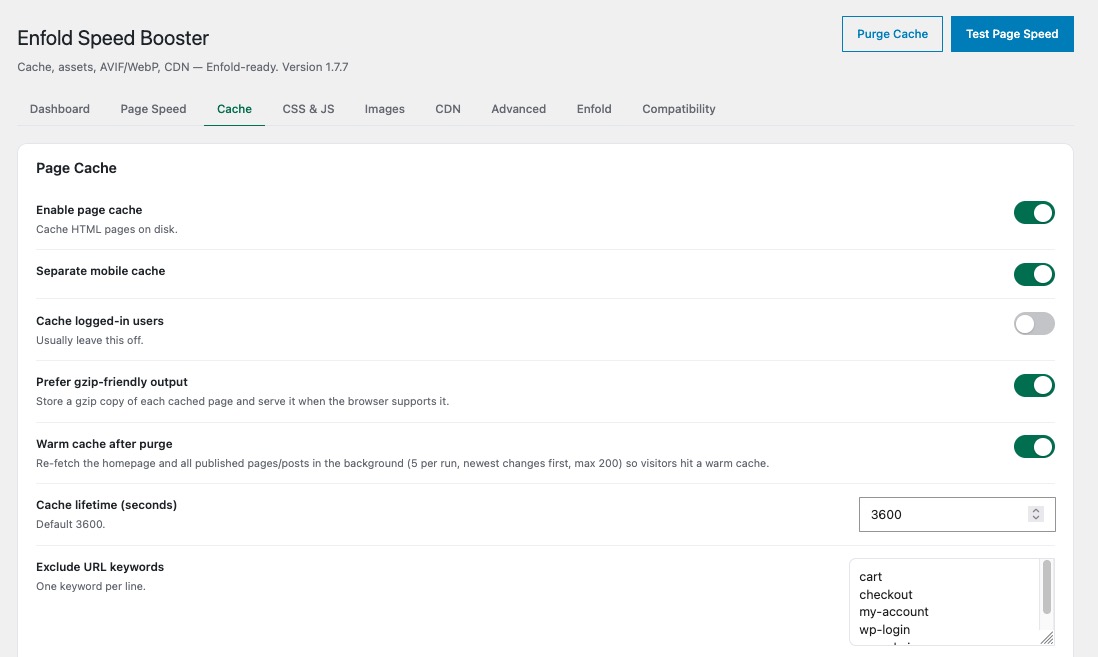
Pages served as static HTML
Visitors get a file from disk. No PHP, no database, no theme rendering. Mobile gets its own copy, and a gzip version is stored next to it.
- Separate mobile cache
- Cache lifetime and exclusions you control
- Cart, checkout and account never cached
CSS & JavaScript
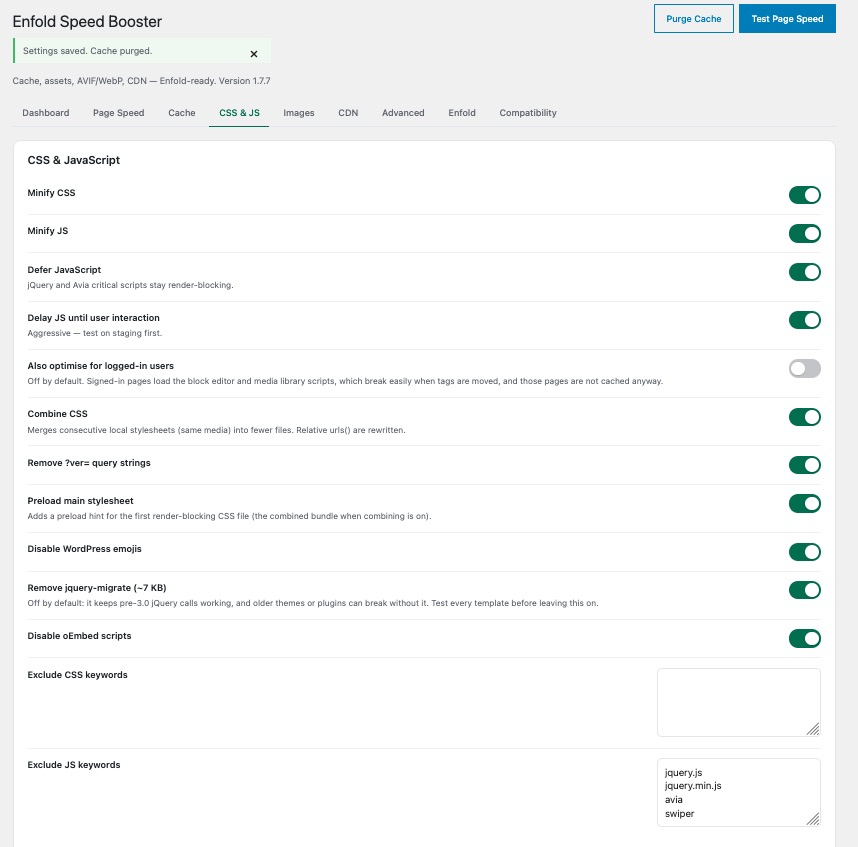
Fewer files, nothing broken
Stylesheets are minified and merged – Enfold’s own sheets included, with relative urls() rewritten. Scripts are deferred, and optionally delayed until the first interaction.
- jQuery and Avia scripts stay render-blocking on purpose
- Preload hint for the first stylesheet
- Your own exclusion list on top
Images
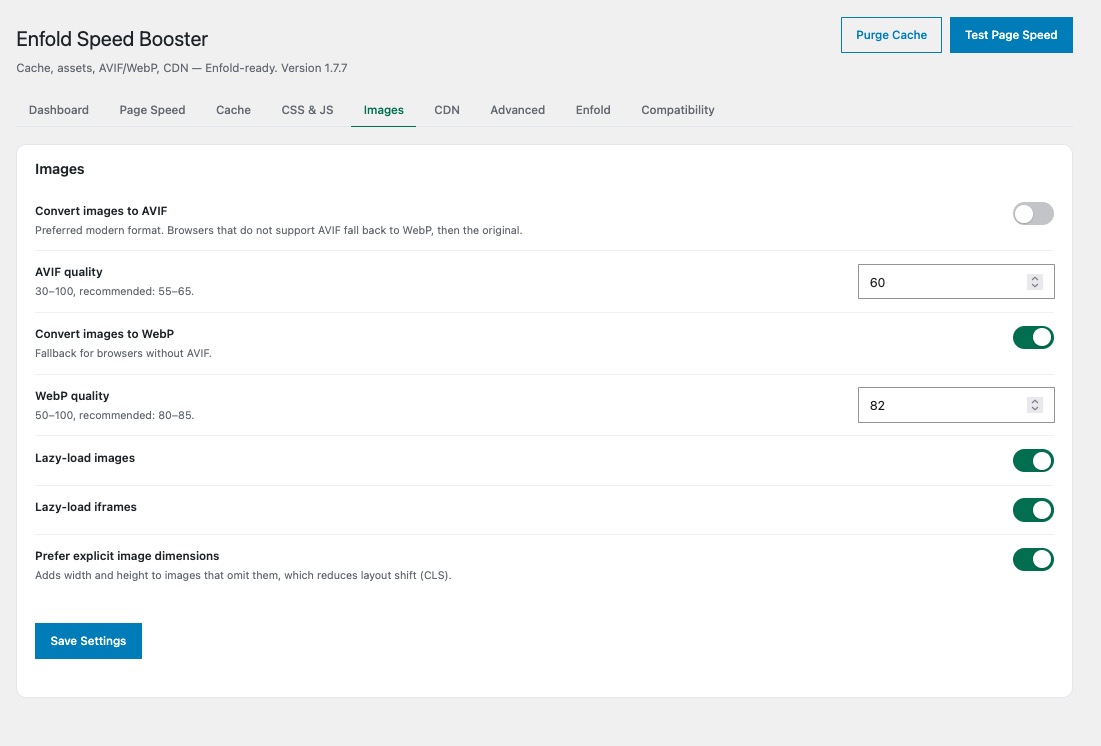
AVIF and WebP, automatically
Every upload is converted. Browsers that support AVIF get AVIF, the rest get WebP, and anything older gets the original file.
- Quality per format
- Lazy loading for images and iframes
- Missing width and height added, which cuts layout shift
Speed test
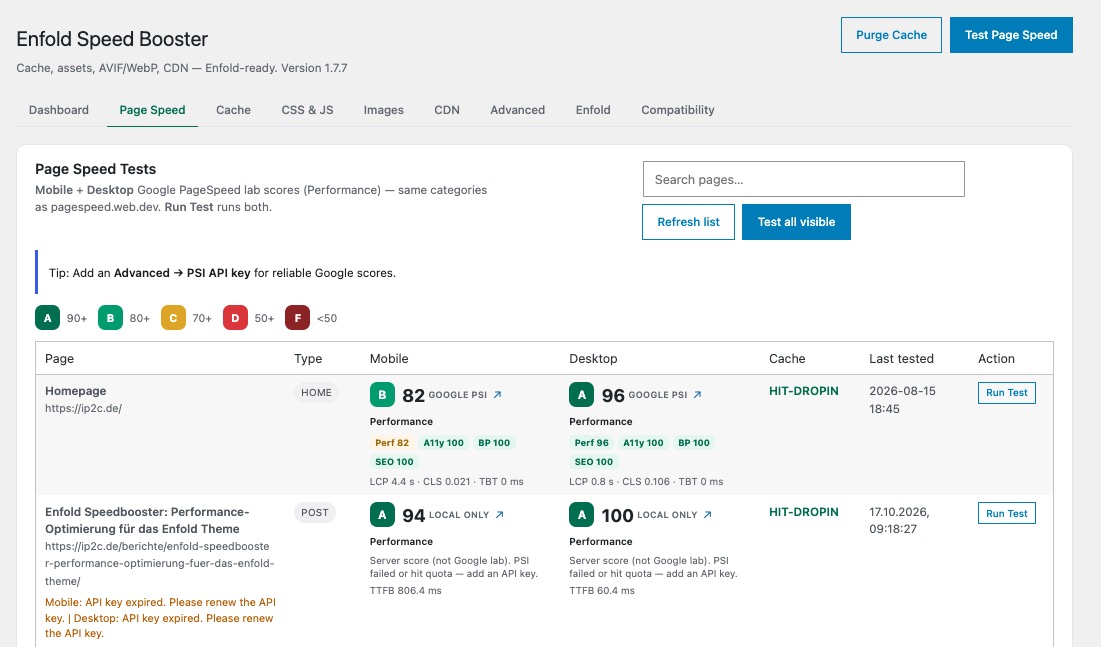
A score for every page, inside WordPress
Google PageSpeed for mobile and desktop, page by page, without leaving the admin. Test one page or all of them at once.
- Mobile and desktop side by side
- LCP, CLS and TBT per page
- Cache status shown with the result
Object cache
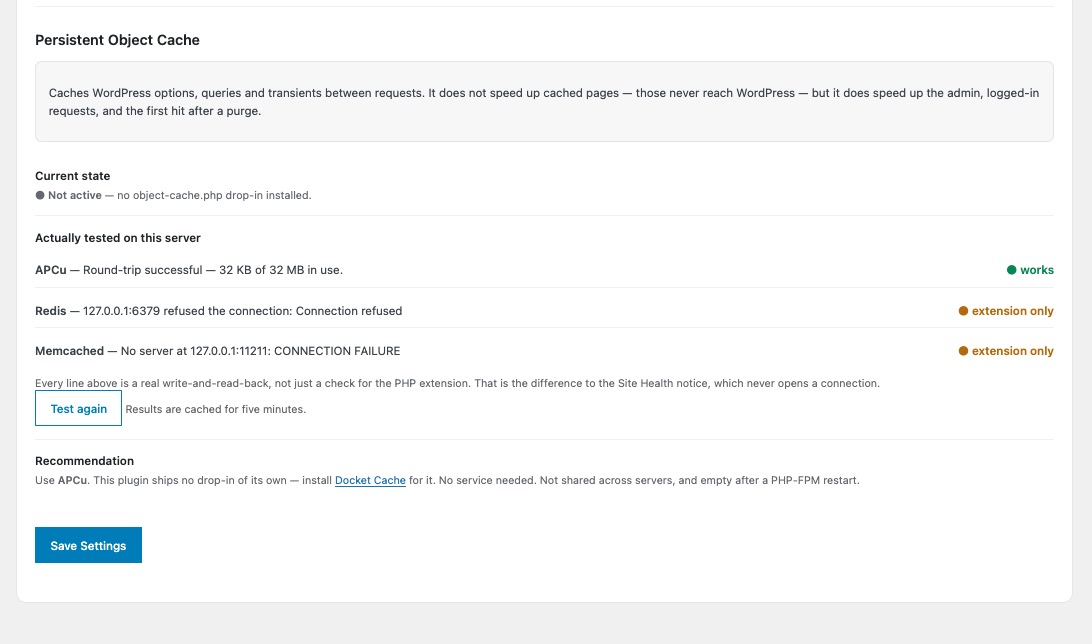
It tells you what your server really supports
WordPress only checks whether a PHP extension exists. Speed Booster actually writes and reads back through APCu, Redis and Memcached and reports what worked.
- A real round-trip, not an extension check
- A clear recommendation for your server
- The plugin ships no drop-in of its own
CDN
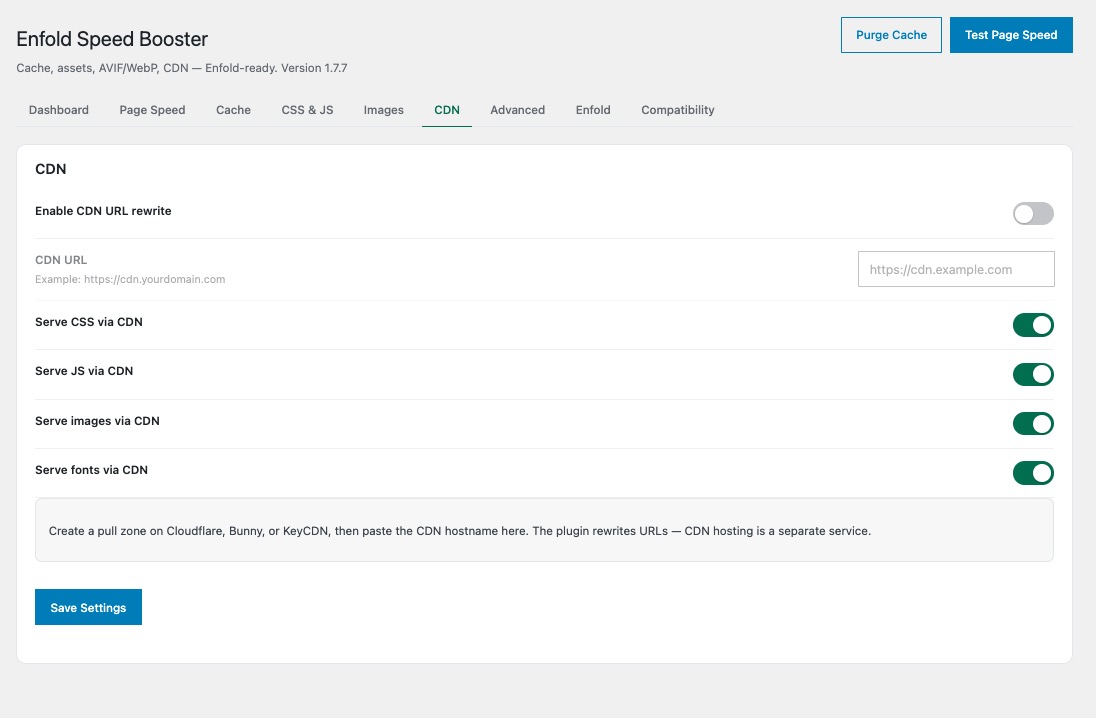
Point it at your pull zone
Paste the CDN hostname and the plugin rewrites the URLs of your stylesheets, scripts, images and fonts.
- Cloudflare, Bunny, KeyCDN
- Per asset type on or off
- CDN hosting stays a separate service
Two things no generic cache plugin does
Both are the reason this plugin exists.
Enfold mode
The plugin recognises Enfold and its child themes and then behaves differently from a generic optimiser. It also takes over the job the theme's own performance settings are supposed to do – we switch those off.
- Combines Enfold's own stylesheets and rewrites their relative URLs
- jQuery and the Avia core scripts are never deferred or delayed
- The entypo-fontello icon font is preloaded, not discovered late
- Builder preview and front-end editor are never cached
- Saving Enfold theme options purges the cache by itself
Compatibility scan
Before anything breaks, the plugin loads up to 20 of your pages as a visitor and looks for scripts that would fail once they are moved.
- Finds inline code that calls into a deferred file
- Suggests the exact exclusion keyword, with a reason
- Knows the usual suspects: cookie banners, sliders, maps
- You apply the suggestion with one click
Works with
- WooCommerce – cart, checkout and account pages are excluded automatically
- WPML and Polylang – every language gets its own cached copy
- Cookie banners – Borlabs, Complianz, Real Cookie Banner, CookieYes
- Sliders – Slider Revolution and LayerSlider stay excluded
- Any CDN – Cloudflare, Bunny, KeyCDN pull zones
Replaces
Speed Booster is a full page cache. Deactivate your current cache and optimisation plugins first – two page caches on one site break each other. We also recommend switching off Enfold's own merge and compress options and letting the plugin handle them.
- Enfold's own “merge and compress” CSS and JavaScript settings
- Cache plugins such as WP Rocket, LiteSpeed Cache, WP Super Cache
- Minify and combine plugins such as Autoptimize
- WebP and AVIF converters
- Separate lazy-load and CDN-rewrite plugins
Live in three steps
About ten minutes, most of it waiting for the scan.
Back up
A database and file backup, as before any plugin that touches caching.
Upload and activate
Upload the ZIP under Plugins. WP_CACHE and the cache drop-in are set up for you.
Run the scan
Open the Compatibility tab, let it walk your pages, apply what it suggests.
Deactivating removes the cache drop-in, the WP_CACHE line and every .htaccess rule the plugin added. Nothing is left behind.
All of it, from €60 a year.
Two websites, every module, 14 days to change your mind.